
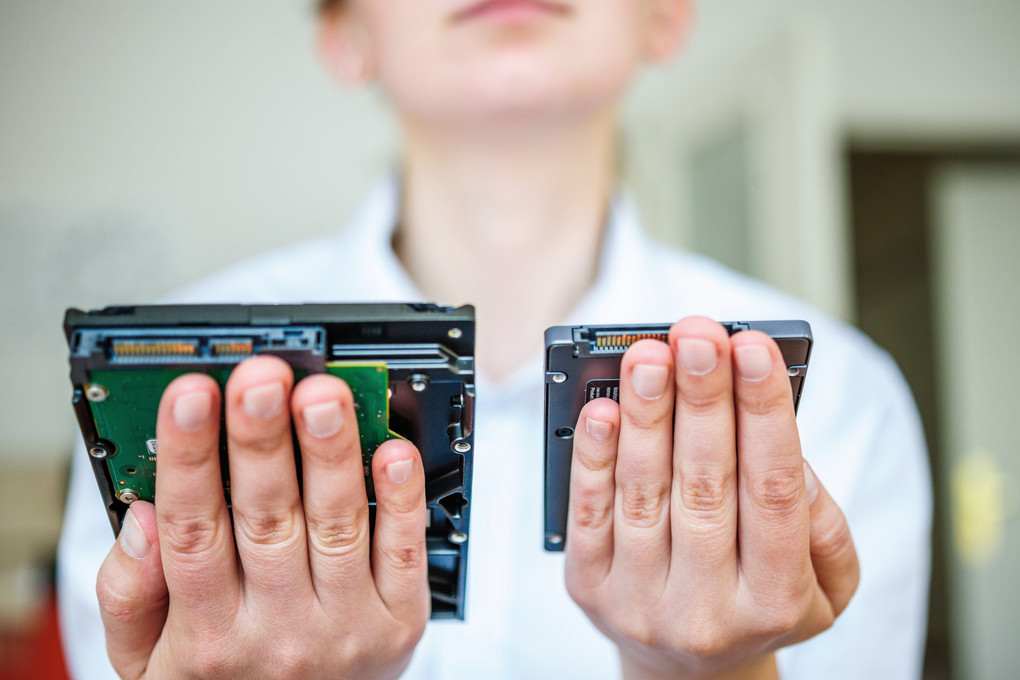
SOLID STATE DRIVE (SSD) VS. HARD DISK DRIVE (HDD)
Apr 4th 2018
Majority of the people invest in a laptop to cater to their everyday computing needs. However, they often have to make a decision about choosing the storage component and are confused between a Hard Disk Drive (HDD) and a Solid State Drive (SDD) for their storage needs. There is no straightforward answer when it comes to deciding which is the better storage solution for an individual. It all depends on their needs, preference, and most importantly budget. In recent times, the prices of solid state drives have significantly decreased in the market. However, HDD still holds the advantage when it comes to the price per gigabyte. In this article, we will learn what exactly an SSD and HDD is and which option is better.
Solid State Drive (SSD)
Over the past few years, more and more people have opted for Solid State Drives (SSD) as it is becoming common in the market. Apple’s laptop line, for long, have been using SSDs in the MacBook, MacBook Air, and Retina MacBook Pro. The MacBook Pro also comes with a solid state drive. Typically, Macs come with SSD by default, but those that do not have a solid state drive such as iMac or Mac mini, Apple has given the option to include SSD or Fusion Drives.
The key difference between an SSD and HDD is that there are no moving parts inside an SSD. The ‘Solid State’ has become industry standard for an integrated circuit where it uses flash memory – a computer chip that retains information when there is no power.
Hard Disk Drive (HDD)
For years and decades, the standard storage component for personal computers was the traditional spinning hard disk drive. Regardless, the hard drive manufacturers are keeping up with the constant technological advancements to pack more storage capacity on smaller drives than ever. Further to this, they want to do it at a cost per gigabyte which makes HDDs a more viable option in the market.
Hard drives first made it into the commercial market in 1956, since then it has been used by individuals for their storage needs. The only difference is that the hard drives that used to come back then were huge in size, but could store only a few megabytes. Over the years, technology has significantly improved where a small hard disk drive can store 10 terabytes of information easily.
SSD vs. HDD – which is better?
In recent times, the debate to decide which storage component is better has gained immense popularity. Here, we have highlighted the four main aspects along with which component is better in which aspect. This will help you make an informed decision.
Performance – SSD Wins
There is no competition – SSD is faster and performs better as a storage component. For long, hard drives have been using an ‘inescapable’ overhead that sometimes creates a bottleneck in a high traffic environment. The fastest HDD available has 15 RPM but is not reliable in case of high traffic.
Reliability – SSD Wins
SSD is reliable than HDDs due to its physical reliability in tougher conditions. Whether there are extreme cold and heat or drops of water, SSD can easily survive it.
Durability – SSD Wins
The solid state design makes SSDs more durable than hard drives. As it works on flash memory and does not have any moving parts, they can resist higher extremes of shock, drop, and temperature.
Conclusion
In summary, the decision to choose a storage component depends on several things including budget, storage needs, and more. However, if you are looking for a long-term solution to take care of your computing needs, SSD is the way to go forward. The only advantage for HDD in these times is the price per gigabyte factor. However, if your wallet can afford SSD, it is a viable option.