
Cisco Switches
Access, aggregation and core switching for the campus network — sourced by quote, backed by a 3-year warranty.
Three Catalyst families and Nexus for the data center cover most designs. Which one fits comes down to where the switch sits in the network, what it has to power, and how it stacks and uplinks — not the model number. This page is the fastest way to narrow that down before you request a quote.
Individual networking products aren't listed for sale on this site yet — tell us the model, port speeds, PoE and uplinks you need and we'll confirm current availability and pricing.
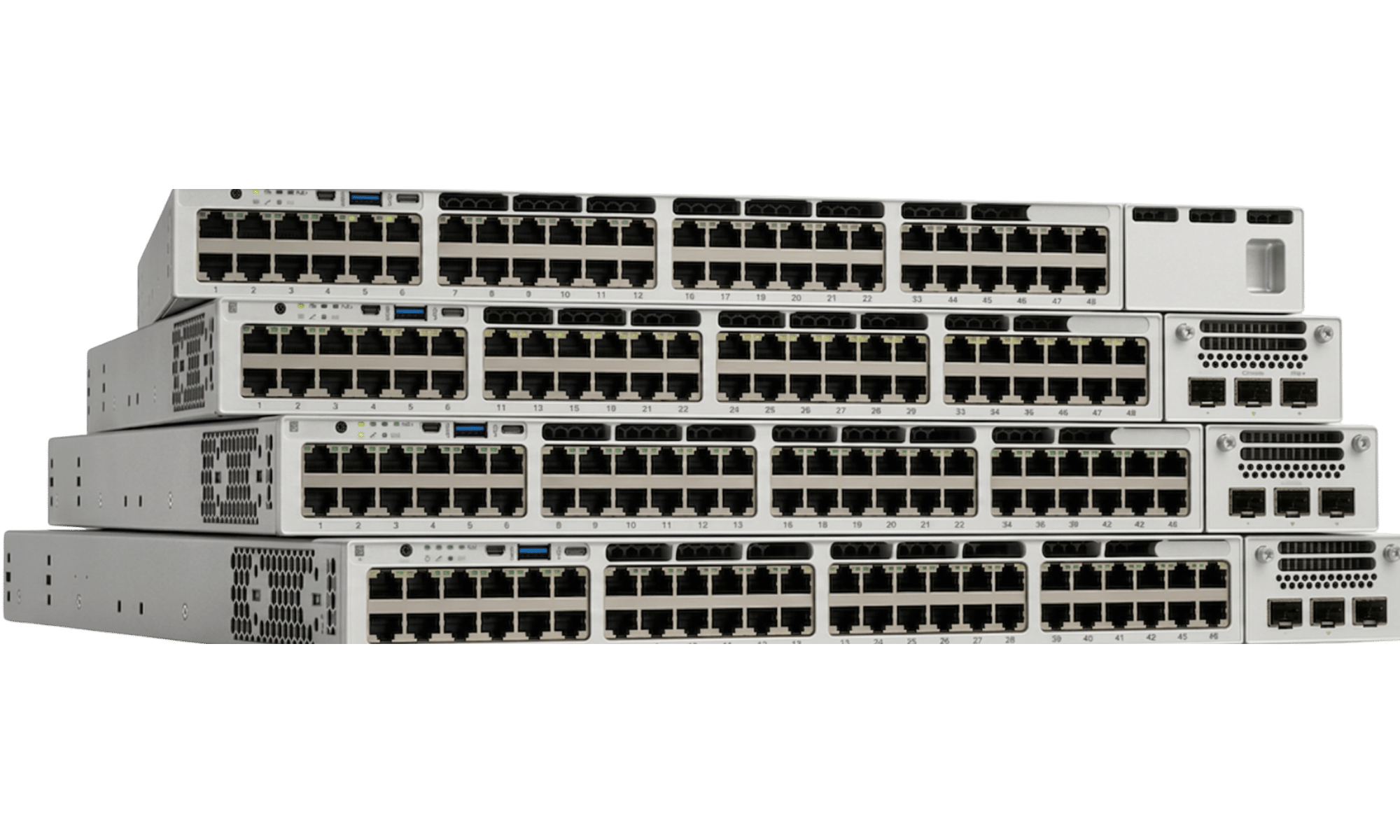
Choose a Family
Four platforms cover access through core and into the data center. Each card links to the range and, for the 9500, to the section below covering it.
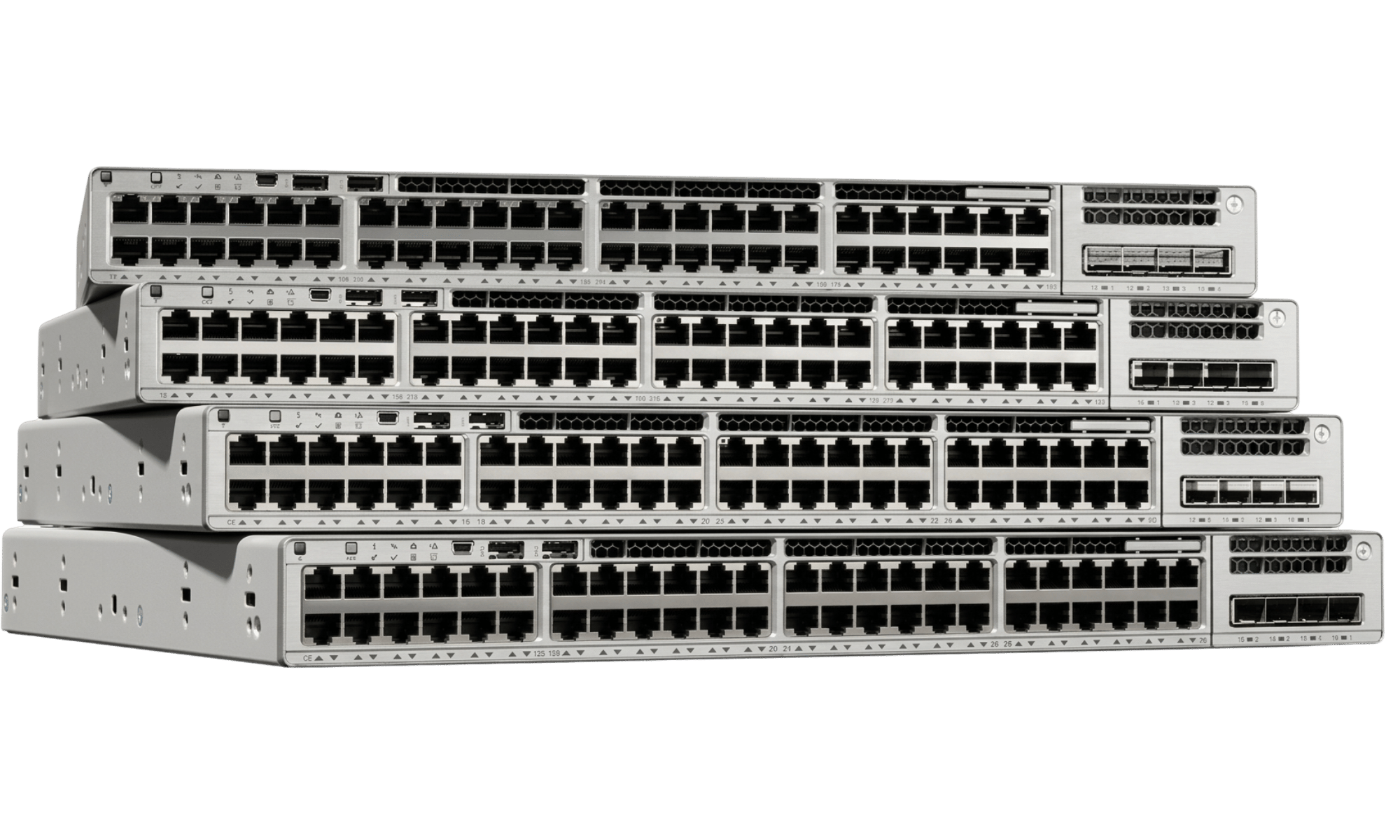
Access Layer
Catalyst 9200
Entry access-layer switching for branch offices and smaller campus closets.
- 1G access
- PoE+
- StackWise-80/160
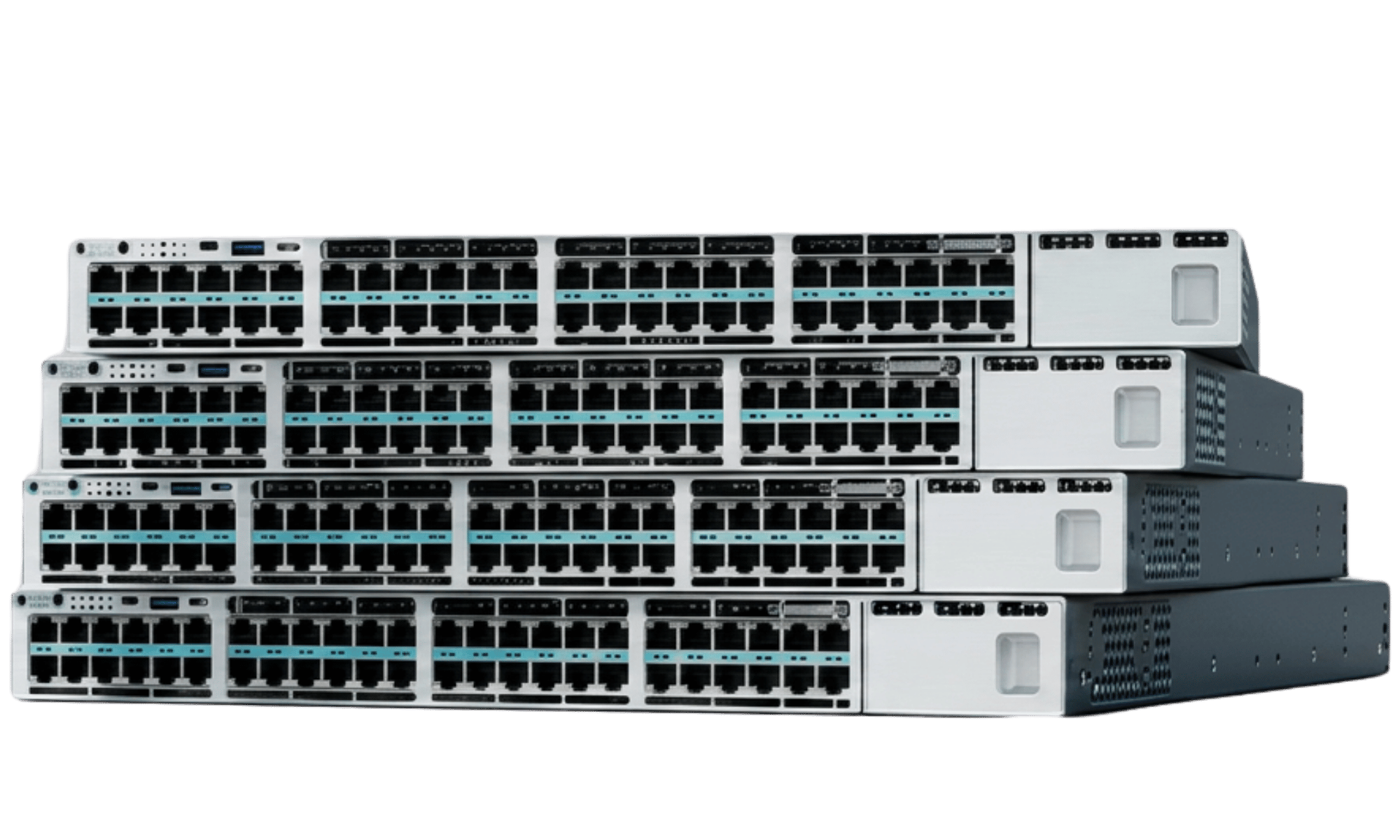
Access / Aggregation
Catalyst 9300
The most common campus platform — modular uplinks, stacking, and PoE up to UPOE+.
- Modular uplinks
- UPOE+
- StackWise-480/1T
Aggregation / Core
Catalyst 9500
Fixed high-speed 10G–400G ports for aggregation and core. No PoE, no modular uplinks.
- 10G–400G fixed
- No PoE
- StackWise Virtual
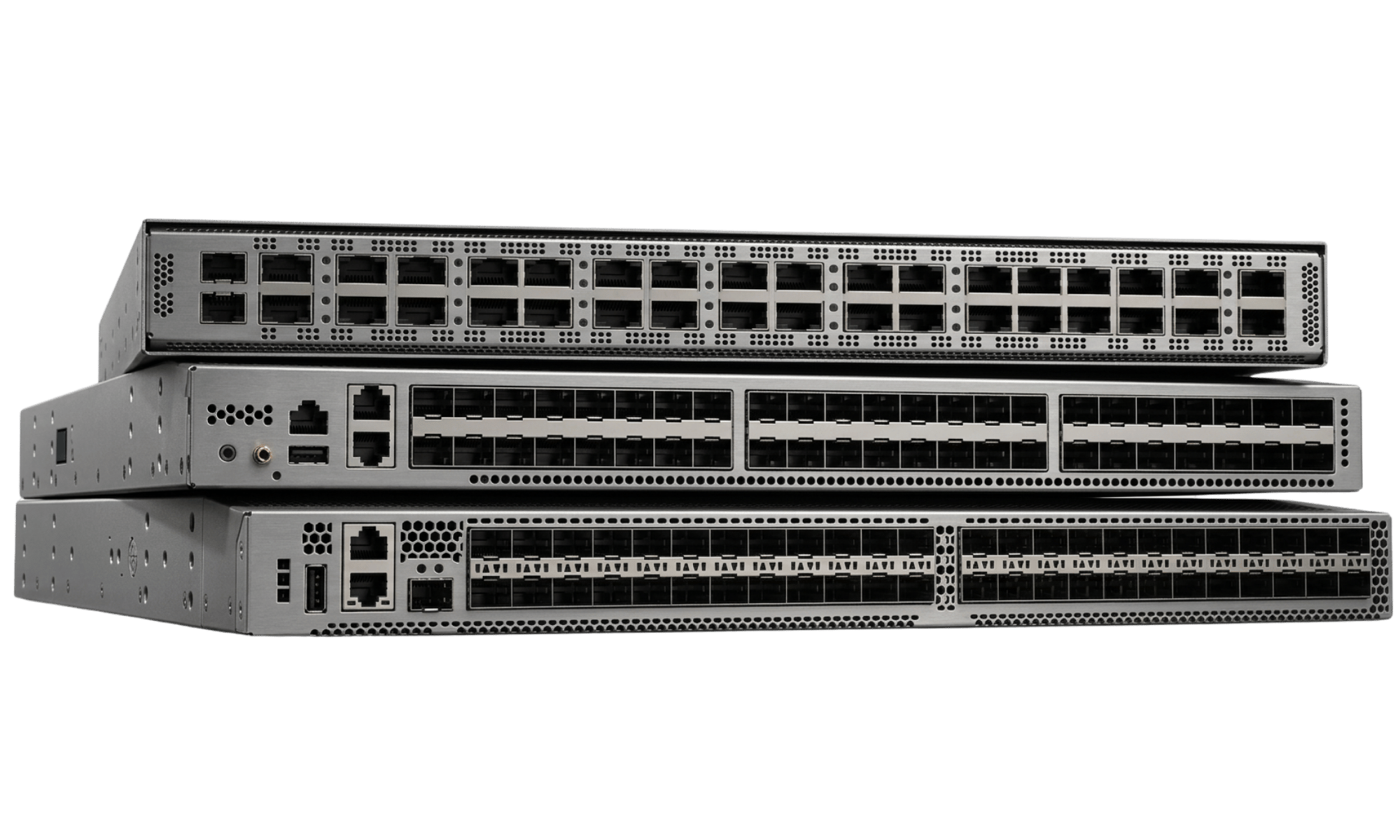
Data Center
Cisco Nexus
Top-of-rack and leaf/spine switching for the data center, NX-OS or ACI-ready.
- 10/25/40/100G
- NX-OS / ACI
- Not a PoE platform
9200 vs 9300 vs 9500
The points that actually decide a purchase — role, speeds, PoE, stacking and uplinks — side by side.
Catalyst 9200
Best for: branch & small closets
Catalyst 9300
Best for: most campus access/aggregation
Catalyst 9500
Best for: aggregation & core, no PoE
| Attribute | Catalyst 9200 | Catalyst 9300 | Catalyst 9500 |
|---|---|---|---|
| Typical role | Access layer | Access / aggregation | Aggregation / core |
| Common speeds | 1G copper; multi-gig on some models | 1G/multi-gig copper; SFP+/SFP28 uplinks | 10G/25G/40G/100G fixed fiber (200/400G on 9500X) |
| PoE | PoE+ on PoE-capable SKUs | PoE+, UPOE and UPOE+ on supported SKUs | Not a PoE platform — no model offers it |
| Stacking | StackWise-80 (9200L) / StackWise-160 (9200), 8 members | StackWise-320 (9300L) / 480 (9300) / 1T (9300X), 8 members | StackWise Virtual — pairs two chassis, not a port-adding stack |
| Uplinks | Fixed SFP/SFP+ | Modular network modules (9300L fixed) | Fixed, high-speed, no modular expansion |
| Layer 2/3 role | Access edge | Access edge and aggregation | Aggregation and core routing/switching |
| Typical deployment | Branch offices, smaller campus closets | Most common campus access/aggregation platform | Campus core or aggregation, fixed high-speed ports |
| Key reason to choose | Lowest-cost access switching with PoE | Best balance of stacking, PoE headroom and modular uplinks | Highest fixed port speeds and redundancy for core |
| Key limitation | Lower stacking bandwidth, fewer uplink options | Higher cost than 9200 for the added headroom | No PoE, no modular uplinks — role-specific by design |
Configuration varies by exact model — port counts, PoE power budgets and supported uplink modules vary by specific SKU within each family. This table narrows a family; a quote confirms the exact model against your requirements.
Which Family Should I Choose?
Catalyst 9200 — PoE+ access switching at the lowest entry cost.
Catalyst 9300 — the default choice for most designs; modular uplinks and UPOE+ headroom.
Catalyst 9500 — fixed 10G–100G+ ports and redundant supplies, not a PoE platform.
Cisco Nexus instead — see the Nexus family page.
Lifecycle — check before you specify
Cisco publishes End of Sale (the product is "no longer offered for sale") and Last Date of Support ("the last date to receive support as entitled by active service contracts") milestones per product, with replacement parts and hardware TAC support generally running five years from End of Sale. A platform past its Last Date of Support cannot be covered by a Cisco contract at any price — worth checking against Cisco's own end-of-life notices before you settle on a model. TekBoost's own 3-year warranty is separate from this.
Power over Ethernet
The specification that most often gets a switch purchase wrong — two switches with the same model number and port count can deliver very different amounts of power. The port type sets the ceiling per port; the power supplies fitted set the total the switch can actually hand out. On a used switch, those supplies are whatever the previous owner left in it.
| PoE | The original level. Enough for basic endpoints. |
|---|---|
| PoE+ | The common level on current access switches — what most wireless access points and IP phones are specified against. |
| Cisco UPOE | Listed by Cisco at 60 W per port. |
| Cisco UPOE+ | Listed by Cisco at 90 W per port — for higher-draw endpoints. |
Read the model suffix and you can usually tell which you're getting: C9300-48P is "48 ports PoE+", C9300-48U is "48 ports Cisco UPOE", C9300-48H is "48 ports Cisco UPOE+", while C9300X-48TX is "48 ports data" — no PoE at all.
Per-port maximum is not the total switch power budget
A 48-port UPOE+ switch does not deliver 90 W on all 48 ports at once. The switch has a total PoE power budget, spent across the ports you populate. Cisco's own published examples make the gap concrete: the C9200-48P offers 740 W with its primary supply alone and 1440 W with a secondary supply fitted; the C9300-48H offers 1172 W with a 715 W secondary supply, rising to 1537 W with a 1100 W secondary; the compact C9200CX models are listed at 240 W maximum. The budget depends on which power supplies are fitted — not on the switch model alone — which is exactly what varies on a used unit.
PSU dependency: which supplies set the budget
- Catalyst 9200L — PWR-C5-125WAC, PWR-C5-600WAC, PWR-C5-1KWAC.
- Catalyst 9200 — PWR-C6-600WAC, PWR-C6-1KWAC.
- Catalyst 9300 — PWR-C1-715WAC-P, PWR-C1-1100WAC-P, PWR-C1-1900WAC-P (DC spares: PWR-C5-715WDC=, PWR-C6-715WDC=).
The single most useful thing to check on a used PoE switch: a decommissioned C9300-48H with one 715 W supply is a different product from the same SKU with a 1100 W pair — the difference is entirely invisible in the model number. Size a budget from the devices you're powering, not from port count: a switch can run out of power budget long before it runs out of ports, and that shows up as endpoints that won't come up rather than an obvious fault.
The Catalyst 9500 has no PoE at all on any model — use a 9300 or 9200 for powered access and keep the 9500 for aggregation and core.
Stacking
Stacking bandwidth is where the Catalyst families separate most sharply — every generation below supports a maximum of eight members, but the bandwidth between them varies by up to 12x.
| Catalyst 9200L | StackWise-80 — 80 Gbps |
|---|---|
| Catalyst 9200 | StackWise-160 — 160 Gbps |
| Catalyst 9300L | StackWise-320 — 320 Gbps |
| Catalyst 9300 | StackWise-480 — 480 Gbps |
| Catalyst 9300X | StackWise-1T — 1 Tbps |
| Catalyst 9500 | StackWise Virtual — pairs two chassis as one logical device; a redundancy/simplification mechanism, not a way to add stack ports |
Stacking on a used switch depends on modules and cables that are frequently missing from a decommissioned unit — tell us the stack size you need and we'll confirm what the quoted units include.
Uplinks
The 9200L and 9300L have fixed uplinks; the 9200 and 9300 take field-replaceable network modules — a fixed-uplink switch can't be upgraded later. The 9500's uplinks are part of its fixed configuration. Which speed and form factor you need (SFP, SFP+, SFP28, QSFP+ or QSFP28) depends on what's at the other end of the link and the distance between them.
Need the full breakdown — form factors, DAC vs. fiber, Cisco's compatibility matrix?
Read Optics & Transceivers →Licensing
Cisco publishes perpetual Network Essentials and Network Advantage tiers alongside subscription Cisco DNA Essentials and Cisco DNA Advantage (3-, 5- and 7-year terms), with newer data sheets also naming unified Cisco Switching Essentials and Cisco Switching Advantage. A used switch may arrive running software at a tier nobody holds an entitlement for.
Hardware ownership vs. software licensing
TekBoost supplies the hardware only. Cisco software licenses and subscriptions are not included and are not sold by TekBoost, and must be obtained separately from Cisco or an authorized Cisco partner where a design requires them. We can report the software version present on a quoted unit; we cannot supply the entitlement to run it.
What's Commonly Missing from Used Switches
None of the following is implied by a switch model number — all are routinely absent from decommissioned equipment. Ask for it explicitly and it gets quoted explicitly.
Uplink network modules
Ordered separately from the switch on modular platforms.
Transceivers
Cages ship empty; SFP/SFP+/QSFP modules are separate items.
Stacking modules & cables
Frequently pulled before a switch is decommissioned.
Secondary power supply
Changes the PoE budget substantially — see the PoE section above.
Rack mounting hardware
Ears and rails are commonly left in the original rack.
What TekBoost Confirms
Individual networking products aren't listed for sale on this site. Availability of any particular model is confirmed by quote rather than published here.
The precise model, revision and physical condition of the units offered.
Which power supplies, uplink modules and stacking hardware are included.
The actual total power budget the fitted supplies allow.
Reported as installed — licensing entitlement is separate and not supplied by TekBoost.
What to Tell Us
- Model or part number — the exact SKU if you have it, or the role and family.
- Port speeds & count — 1G, 10G, 25G or higher, and how many.
- PoE — PoE, PoE+, UPOE or UPOE+, and the total power budget if known.
- Uplinks — SFP, SFP+ or QSFP, and whether transceivers or cables are needed.
- Stacking — whether units need to stack, and with what.
- Licensing — which software tier your design needs.
- Quantity — one-off or repeat requirement; volume pricing is available.
- Compatibility — what this has to work alongside.
Networking equipment bought through a TekBoost quote carries our standard 3-year warranty — buying by quote rather than from an online listing makes no difference to cover — subject to the terms, exclusions and conditions on that page. Manufacturer warranty, software licensing and support entitlements are separate and are not included.