
Find the Right Virtualization Server
Without paying for hardware you don’t need.
Dell PowerEdge & HPE ProLiant servers for VMware, Hyper-V and Proxmox — matched to your workload and budget, not just the newest generation.
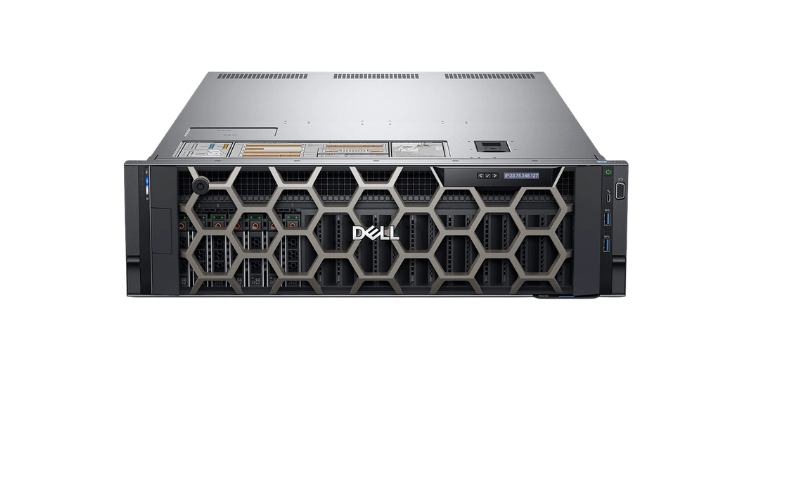
The newest server isn't always the best value.
TekBoost sells multiple enterprise-server generations side by side, so you can pay for the performance and features your workload needs — not simply the newest hardware.
Example shown: Dell PowerEdge — the same value curve applies to HPE ProLiant and every platform below. $–$$$$ show relative acquisition cost within this server family only; actual pricing varies by configuration and availability. This is a preview — you'll choose your exact generation after picking a server type.
Find the Right Virtualization Server
Answer three quick questions about your environment. We'll recommend the right server type, help you choose the generation that fits your performance needs and budget, then send you to configure it.
What are you building?
How demanding are the workloads?
You don't need exact numbers — a rough sense is enough.
Where will VM storage live?
—
What matters most?
$ – $$$$ show relative acquisition cost within this server family only. Actual pricing varies by configuration and availability — RFQ-only generations show no symbol.
What changes as you move to a newer generation?
A newer processor generation, typically with more cores or better per-core performance available.
Newer memory and PCIe/expansion technology, configuration-dependent.
More years of remaining vendor support and firmware/driver updates.
Generally higher — see the relative $ indicators above for each card.
Exact specifications vary by configuration — confirm CPU, memory and expansion details on each product's own configurator, or ask us for a spec comparison.
Or browse by virtualization need
Start from what your environment needs — TekBoost translates that into the right hardware. Each path spans several server generations; click one to jump straight to its generation/value choices, no questions needed.
Have a more specific requirement?
Sizing your host
CPU
How many VMs you're consolidating per host matters most. Hypervisor licensing is sometimes priced per core or socket, too.
RAM
Memory isn't overcommitted as freely as CPU, so hosts typically hit their RAM ceiling first.
Storage / RAID
Shared SAN needs less local capacity. Local or hyperconverged storage (vSAN, Ceph, ZFS) needs more bays and the right redundancy level.
Networking
Splitting management, migration, storage and VM traffic pays off at scale. 10GbE becomes useful as migration and storage traffic grows.
Size and Configure Your Server
Use these TekBoost tools after choosing your server type and generation.
RAM Advisor
Estimate memory requirements from your planned VM count and workload mix, then size up with confidence.
Storage & RAID Advisor
Choose a storage and RAID strategy that fits your capacity, performance and redundancy needs.
Built for Your Virtualization Platform
What should I check before buying for VMware?
Check your target vSphere/ESXi version's Hardware Compatibility List (HCL) against the specific CPU and platform generation you're configuring, regardless of which family or generation you choose. The DL380 Gen10 and R640/R740 product pages already document virtualization use cases directly.
Does Hyper-V need different hardware sizing?
Not materially — the CPU/RAM/storage guidance on this page applies the same way across generations. The main differences from VMware are in Windows Server licensing and management tooling, not the underlying hardware. We don't make specific Windows Server licensing guarantees here — check current Microsoft licensing terms for your deployment.
What matters most for Proxmox VE?
Proxmox runs well on standard enterprise hardware like the platforms on this page, across the generations shown. Pay attention to storage and network configuration — ZFS wants ECC RAM and headroom, Ceph wants dedicated fast networking — since Proxmox doesn't publish a hardware compatibility list the way VMware does.
Why TekBoost for Virtualization
Enterprise hardware matched to your workload — not simply the newest generation.
Choose the generation that fits your workload and budget — not just the newest platform.
Every system is tested before it ships — the same standard used across TekBoost's full catalog.
Every recommended model links to its own live configurator, not a fixed bundle.
Buying for a cluster or HCI design? Request a Quote for bulk pricing and matched configurations across hosts.