
Dell Precision 7920
A dual-socket Intel Xeon Scalable tower for rendering, simulation, CAD and other parallel workloads. The second processor is what unlocks the remaining 12 DIMM slots and two of the x16 graphics slots, so decide your memory and GPU targets before you choose a single- or dual-processor build.
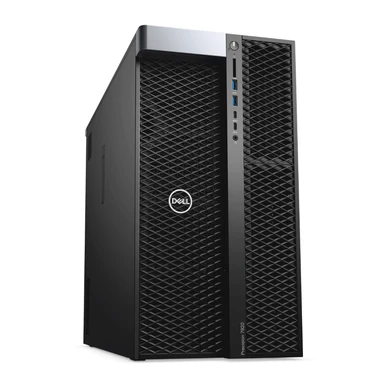
Buying the Dell Precision 7920
Our refurbished CTO systems offer TekBoost’s best value and are the models we sell most commonly. Use the configurator to select the available processors, memory, storage and other options. Review the final configuration and price before ordering.
Need an option outside the configurator? Send a custom quote request with the model and required components.
Platform specifications
The figures below come from Dell’s own Precision 7920 Tower spec sheet. They describe what the platform supports, not what any individual refurbished system contains — match the exact processor, chassis and installed components to the applicable manufacturer document before ordering parts.
| Form factor | Tower workstation; an optional 19-inch rackmount rail kit is listed |
|---|---|
| Processor support | One or two Intel Xeon Scalable processors, 1st and 2nd generation, with up to 28 cores per processor |
| Memory technology | Six-channel DDR4 ECC at 2666 MHz |
| Memory slots | 24 DIMM slots (12 per processor; both processors must be fitted to use all 24) |
| Maximum memory | Up to 1.5 TB with dual processors, and up to 3 TB with select processor SKUs |
| Expansion | Two PCIe x16 slots, with two further x16 slots enabled by the second processor, plus one open-ended PCIe x8, one x16 wired as x4 and one x16 wired as x1 |
| Graphics | Support for up to four PCI Express x16 Gen 3 graphics cards, up to 900 W total graphics power |
| Storage | Up to ten 3.5-inch or 2.5-inch drives with the MegaRAID 9460-16i controller, plus up to eight M.2 NVMe drives on expansion cards |
| Power supply | 1400 W, 90% efficient, 80 PLUS Gold certified |
| Chassis dimensions | 17.05 in high, 8.58 in wide, 22.29 in deep (433 x 218 x 566 mm) |
Dell Precision 7920 specifications PDF
Download the manufacturer document hosted by TekBoost. Check the revision inside the PDF; archived editions may cover different options from later releases.
Plan a complete configuration
Processor & memory
Match your application requirements to the supported processor family. Verify DIMM type, occupied slots and population rules; installed CPU count can affect available memory and expansion.
Graphics & expansion
Confirm graphics-card dimensions, occupied PCIe slots, PSU capacity, power connectors and application certification.
Condition & delivery
Compare the complete configured price, warranty terms and lead time. Include your quantity, destination and preferred condition when requesting a quote.
Common questions
Can I configure and buy this model online?
Yes. Use Configure & Buy to open the current CTO listing and choose its available options. Contact us for requirements outside that listing.
Does the specification sheet describe my exact system?
No. It describes platform options for its document edition. Check your installed processor, memory, chassis, controller, power supply and expansion components before selecting parts.
Compare related systems
Dell Precision 7810
The Dell Precision 7810 Tower is a dual-socket professional workstation designed for CAD, engineering, rendering, simulation, software development, and other technical workloads. Its Intel Xeon E5-2600 v3/v4 processor platform, DDR4 ECC memory, flexible storage, and professional graphics support provide a balanced foundation for workstation deployments.
Dell Precision 7820
Dual-processor capability for applications that benefit from additional CPU cores. Compare platform specifications, then select your configuration.
Dell Precision 7910
The Dell Precision 7910 Tower is a dual-socket professional workstation built for engineering, CAD, rendering, simulation, virtualization, data analysis, and other demanding workloads. Its Intel Xeon E5-2600 v3/v4 processor platform, DDR4 ECC memory, flexible storage, and professional graphics support make it a practical choice for configurable technical computing.
Choose your next step
Configure a common refurbished platform for the best value, or request a quote around your workload.
Compare this platform
These guides set out how this platform compares with the others in its family, using published specifications.